Manebo is the shared budget app you can start in seconds — no account, no bank linking. Snap a receipt to log it, split any bill, and settle up in one tap. No more “who paid for what?”.


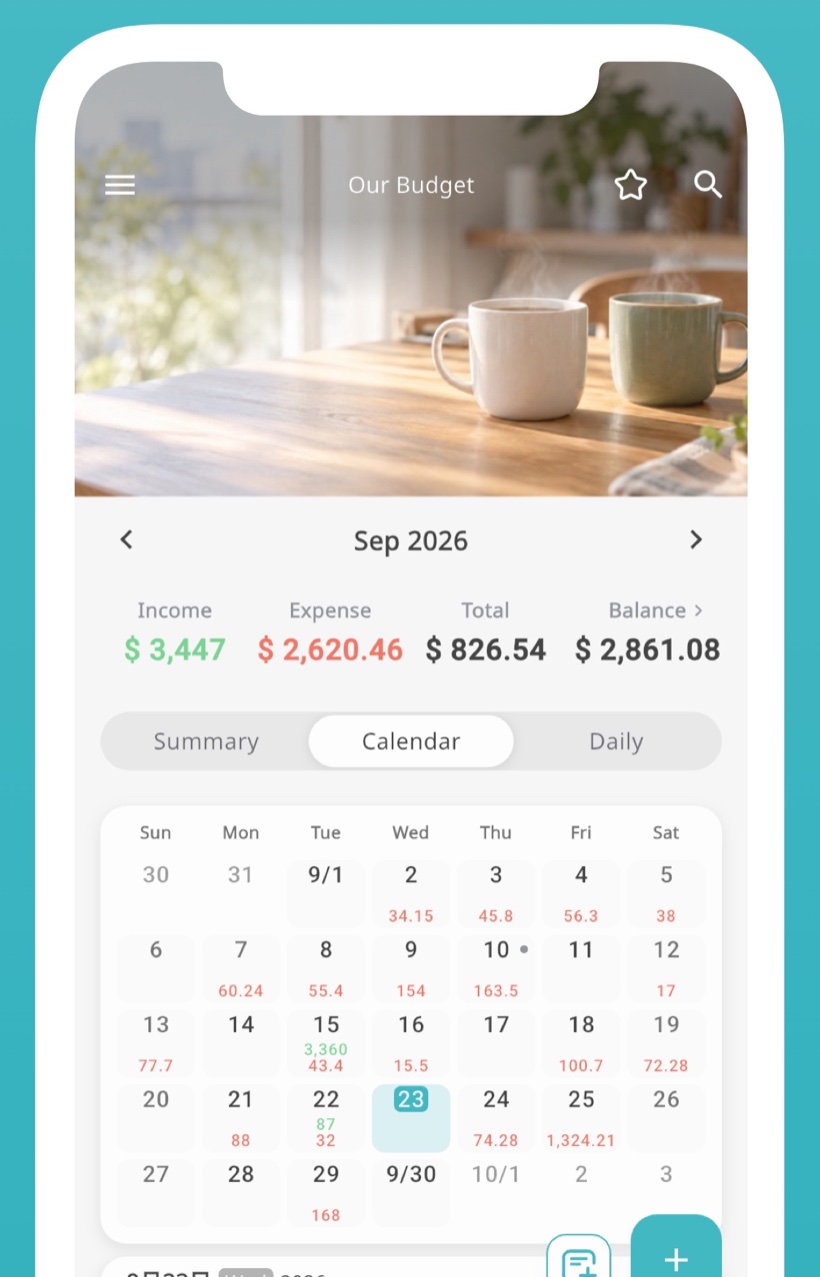

“How much did we spend this month?”
has no clear answer

Logging expenses is a chore,
so the budget never sticks

Who owes whom after dinner
is always a little fuzzy

You can’t feel the savings grow,
so motivation fades
Manebo solves all four.
In one app.
Tracking, sharing, splitting, settling, budgets and net worth. No more juggling separate apps — your money, both of you, one screen.
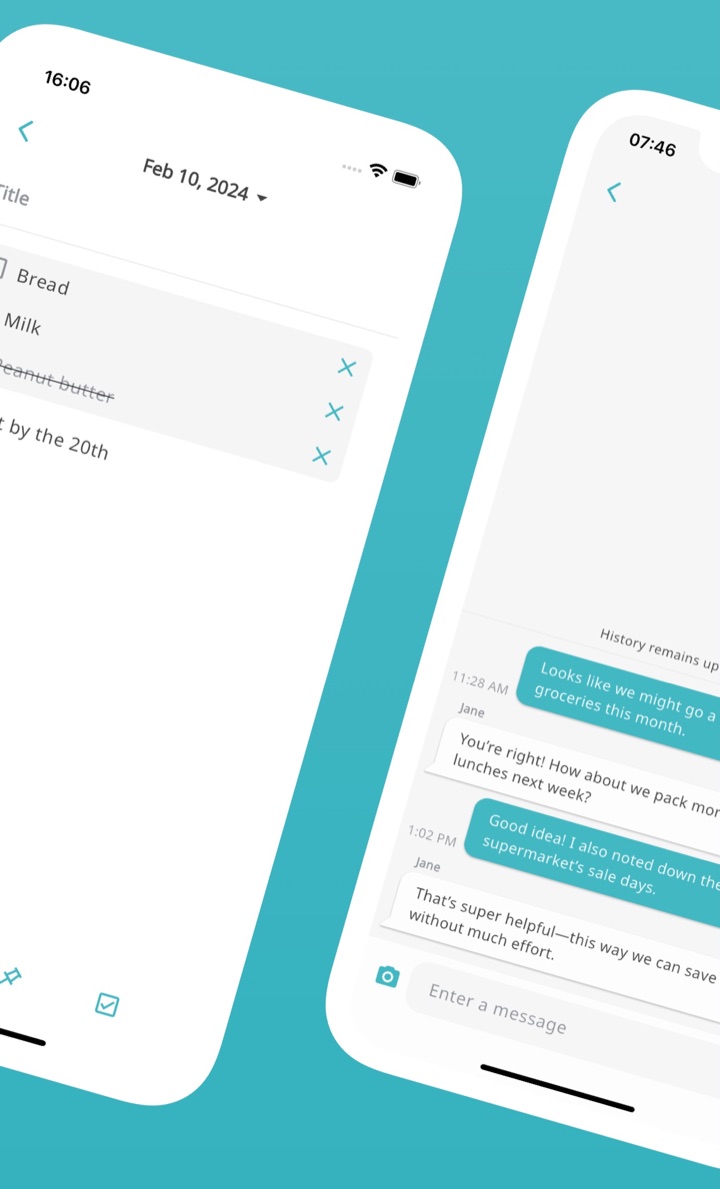
Share one ledger with your partner, roommate or family. Whoever adds an expense, it shows up on the other phone instantly — no more asking “how much did you spend?”.
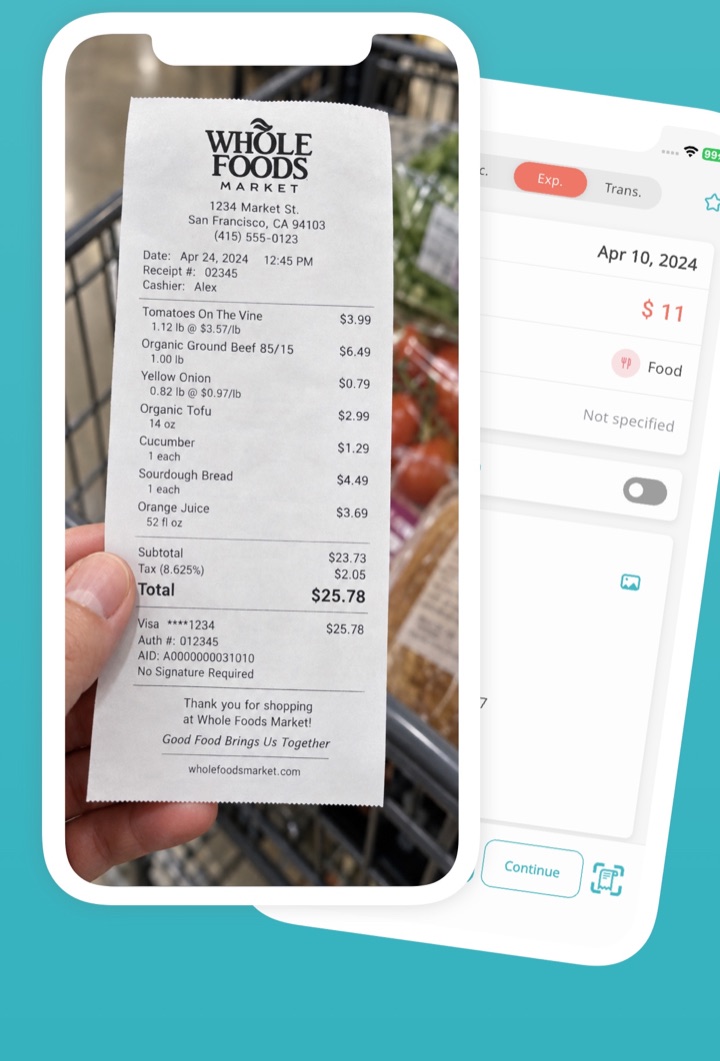
AI reads the total, store and date from your receipt and fills in the entry. No typing after every grocery run, so the habit actually sticks.
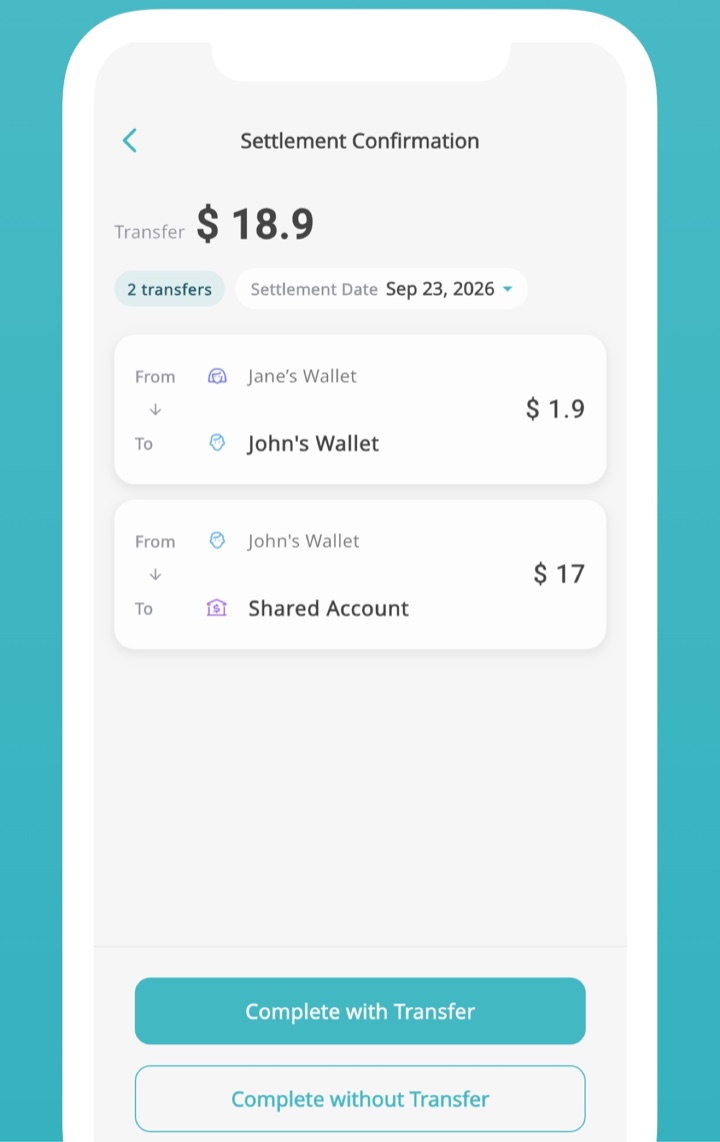
Split any expense by amount, ratio or evenly. What you paid for each other is tallied automatically, and settling up is one tap — no math, no awkward conversation.
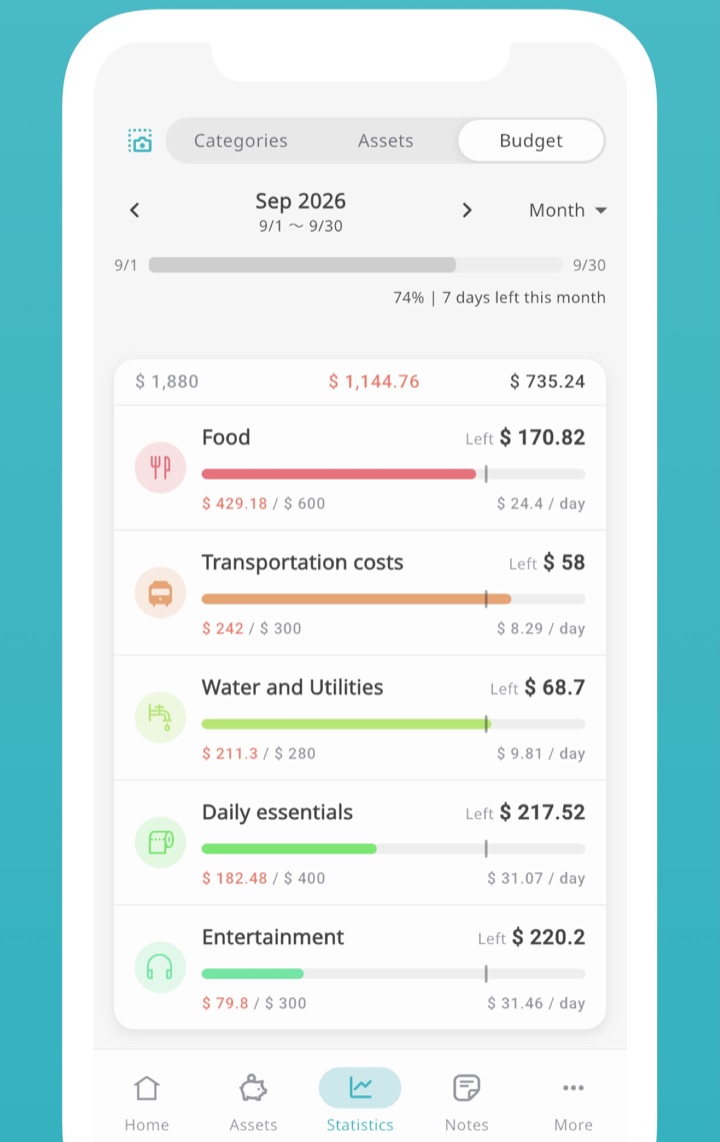
Set a budget per category and see what’s left — and how much per day.
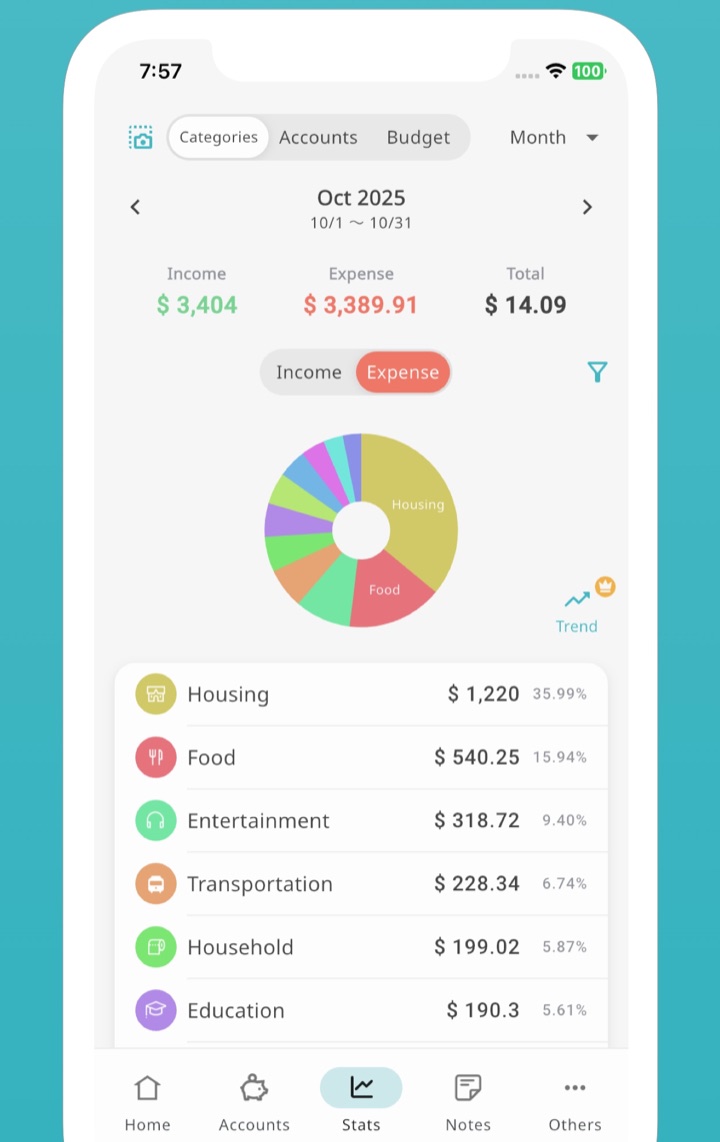
Pie and trend charts by category or account show where the money goes.
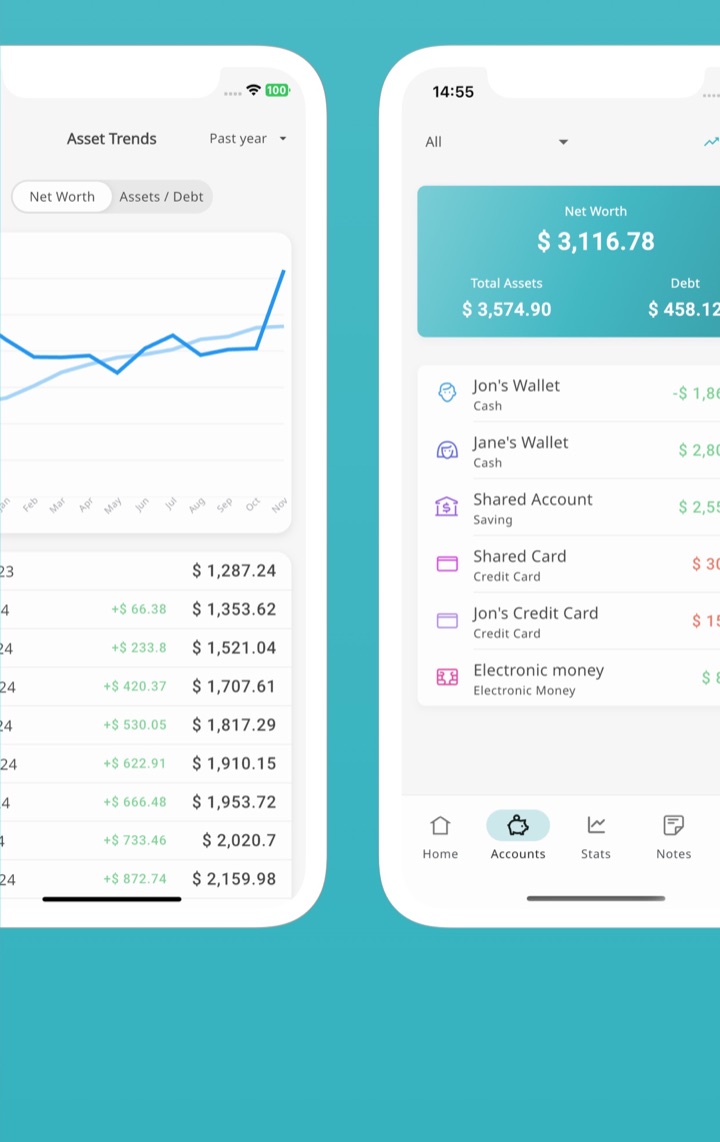
Cash, bank accounts, cards and e-money together. Watch your net worth grow.
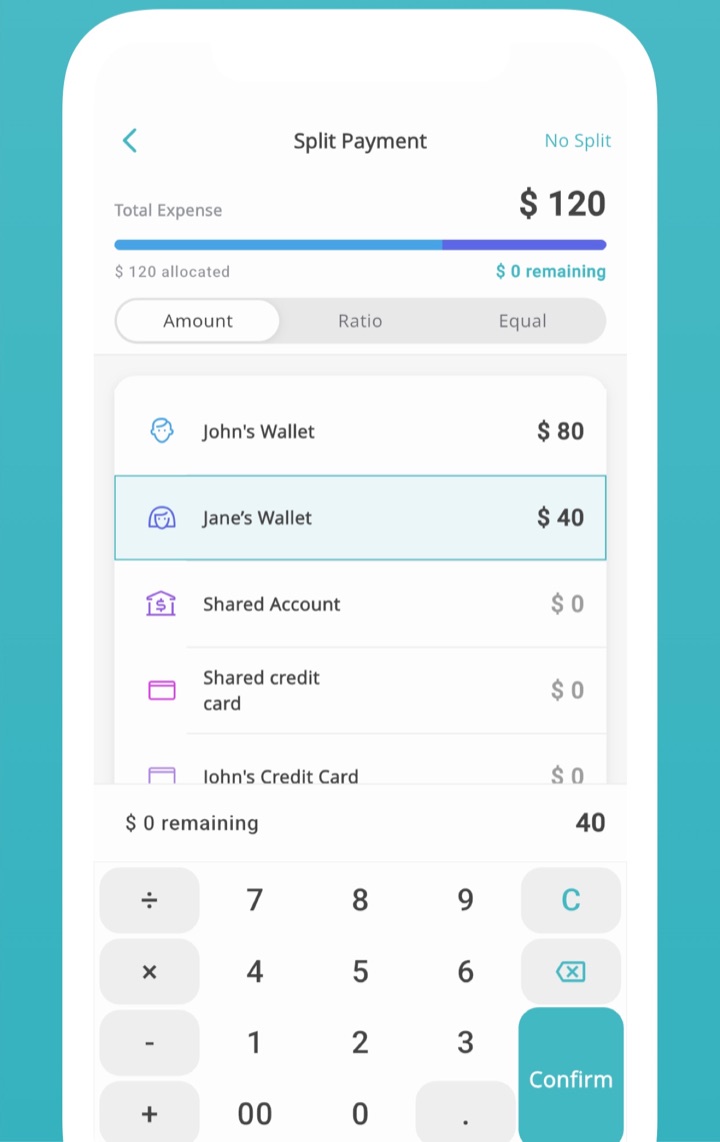
Assign who pays what, from which wallet, while you log the expense.
No setup marathon. Download it and start budgeting together the same day.
Install Manebo free from the App Store or Google Play. No account or email needed — you’re in right away.
Create an invite code from the ledger settings and send it over. Once they enter it, you both see the same ledger. See how sharing works →
Scan receipts, use templates or the calculator keypad. Everything syncs instantly and flows into budgets, charts and assets.
Splitwise only splits. Honeydue and Monarch make you connect your bank. Manebo does both, free, with no account required.
← Scroll sideways →
| Feature | Manebo | Splitwise | Honeydue / Monarch |
|---|---|---|---|
| Full shared budgeting | ✓ | ✕ | ✓ |
| Split bills & settle up | ✓ | ✓ | △ Limited |
| Works without linking a bank | ✓ | ✓ | ✕ |
| No account / sign-up required | ✓ | ✕ | ✕ |
| Receipt scanning included | ✓ | △ Paid | △ Varies |
| Free core plan | ✓ | ✓ | ✕ |
Based on each app’s publicly listed features at the time of writing. Features may change.
Track, share and split without paying a cent. Want more room? Premium adds the comfort features.
Prices as listed on the US App Store. The yearly plan auto-renews after the free trial.
Practical, step-by-step guides — and exactly how to do each one in Manebo.
A simple system to plan and track money together, plus how to set it up in Manebo.
Read guide → Splitting50/50, income-based or hybrid — pick a method and settle up automatically.
Read guide → PrivacyWhy bank-free budgeting is safer, and how to track everything without connecting an account.
Read guide → RoommatesKeep shared living costs fair and drama-free with a shared ledger everyone can see.
Read guide → SavingTurn a big goal into a shared savings plan you’ll both actually stick to.
Read guide → ReceiptsStop typing numbers. Snap a photo and let receipt scanning do the entry for you.
Read guide →
We searched dozens of shared budget apps and this is the one that stuck. It hits every little detail yet stays simple and clean. We used to manage everything in a spreadsheet, but creating and maintaining sheets got tedious, so we looked for an app. Feels great to use.

Started using it to share household costs with my partner. Simple look, all the features we need, and easy to make it our own with theme colors and category icons.

Other budget apps felt stiff or I gave up during setup. Manebo just makes sense without any explanation, and it’s genuinely cute.

Exactly the features I wanted. Perfect for tracking cash and e-money separately, which I couldn’t find anywhere else.
 Manebo
No sign-up, no bank linking. Download it and you’re in.
iOS 15.5+ / Android · Available in 9 languages